
Kenver: A research preview for reconstructing slide images as editable slide structure
Contents
Published
Kenver is a research model from WEIGHTWRIGHT Research. Give it an image of a slide and the text that appears on it. It writes a structured description of that slide: every text box, shape and line, with its position, size, colour and typography. A separate deterministic writer then turns that description into native PowerPoint objects you can select and edit.
Kenver is a small adapter trained on top of Qwen3.8-27B using 400 synthetic slides. On 32 development slides, its raw output was presentation-ready far more often than the base model's, but its structural validity fell. The planned held-out evaluation is still pending. This post explains how we built the adapter, what we evaluated, and where its capabilities are limited.
- Kenver on Hugging Face
Research-preview adapter and model card.
- Base model: Qwen3.8-27B
Pinned base model revision.
The problem
A lot of slide content only exists as pictures: screenshots, exported images, slides pasted into documents. Rebuilding one by hand means redrawing every box, retyping every label and matching every font size. General-purpose vision models can describe a slide well. Producing a precise, machine-readable layout that a program can turn back into an editable slide is a narrower and stricter job. Every coordinate, font size and colour has to be right, and the output has to follow a schema exactly.
Why a specialist
Our working principle is simple: Not the biggest model. The right model for the task. Measure first. Train second.
So we measured first. We gave the unchanged Qwen3.8-27B the same task, prompt and evaluator we planned to use for Kenver.
Its layouts were often recognisable, but its output wasn't directly usable:
- All 32 answers were wrapped in a markdown code fence, so strict parsing failed.
- Once the fence was removed, its font sizes were typically about 31% too large (median), so text overflowed its boxes.
These failures are specific and measurable, and that makes them a reasonable target for post-training.
How Kenver came together
Kenver started in late September 2026 as a broader question: could one compact model design slides, documents and PDFs? We narrowed it on October 5 to a single task we could check mechanically: turn a slide image into a structured scene that can be rebuilt as an editable slide.
Our first experiment fine-tuned a 3-billion-parameter model, Ministral-3-3B, on 40 synthetic slides. On 40 held-out synthetic slides, the trained model produced valid output 27 times, against 0 for its base. Its layout and geometry transfer was weak, though. We recorded that result as mixed.
We then measured Qwen3.8-27B directly on the task and used it as the base for Kenver. We built the WW8 scene contract and a generator whose dataset concentrated on exact typography and text layout, generated the dataset on October 15 and trained the adapter on October 16. The following weeks went into evaluating, debugging and auditing the results. The adapter became publicly available on Hugging Face on November 17. Kenver officially launched on November 18.
- Sep 28–Oct 02 Specified professional visual documents and built and froze the evaluator.
- Oct 05–08 Narrowed to slide reconstruction; ran the 40-slide synthetic pilot, first 3B fine-tune and held-out probe.
- Oct 09–15 Measured the unchanged Qwen base; built the WW8 scene contract and synthetic dataset.
- Oct 16 Trained the adapter on one H200 for 100 steps; verified a fresh reload.
- Oct 17–Nov 10 Tested batch-size equivalence, generated 96 of the 192 planned evaluation outputs, and audited the results and text-only transfer.
- Nov 13–18 Confirmed one file editable in PowerPoint, made the adapter publicly available on November 17 and launched Kenver on November 18.
It was about 50 days from the first specification to public availability. That span covers the whole research effort, not GPU training time: the training function ran for about 44 minutes, including model loading.
Architecture
- InputReference slide image + slide text
- ModelFrozen Qwen3.8-27B + Kenver LoRA adapter
- ContractStructured ww8-scene-v2 JSON
- WriterSeparate deterministic PowerPoint writer
- OutputEditable PowerPoint slide
- Base model: Qwen3.8-27B, pinned at revision
1d4bf0f2. It is a multimodal model whose language layers combine standard and linear attention. Its weights are unchanged. - Adapter: a LoRA adapter (rank 16, alpha 32) on the attention, linear-attention and MLP projections of every language-model layer. The vision encoder is not adapted. The adapter file is 435 MB.
- Output: strict
ww8-scene-v2JSON. A fixed 1920×1080 canvas supports up to 64 objects: text boxes, rectangles, rounded rectangles, ellipses and straight connectors. Type is Calibri or Cambria from 8 to 96 pt. There are no pictures, charts, tables or freeform paths. - Writer: a separate deterministic program turns valid scenes into native PowerPoint objects. Editability comes from the writer, not from the model. The model's job is to get the description right.
Dataset engineering
Every training example pairs a rendered slide with the exact scene that produced it. The generator builds a scene, writes it to PowerPoint, renders it with a pinned LibreOffice and open-font setup, and keeps it only if every check passes. Those checks cover text overflow, clipping, collisions, geometry, a native PowerPoint round-trip and duplicates.
- 557 attempts produced 496 accepted slides: 400 for training, 64 for development and 32 for a frozen synthetic evaluation.
- The training set covers 40 layout families, with at most 10 examples each. Development and evaluation each use 8 different families that never appear in training.
- No two slides share a complete image, scene or text. All splits share one synthetic generator and a restricted vocabulary, so even a held-out test would measure transfer to new layouts from that generator. Real-world slides need separate evaluation.
Post-training
| Setting | Value |
|---|---|
| Method | Supervised fine-tuning on completions only, LoRA on a frozen BF16 base |
| Schedule | 2 epochs, 100 optimizer steps, effective batch 8 (1 × 8 accumulation) |
| Optimizer | AdamW, peak learning rate 1e-4, 5 warm-up steps, no weight decay, gradient clipping at 1.0, seed 0 |
| Sequence | 2,040 image tokens per slide; longest sequence 6,604 tokens |
| Hardware | One NVIDIA H200, peak memory 67.2 GB |
| Run | October 16, 2026; 2,618.8 s function elapsed (about 44 minutes), including model loading |
Development loss fell from 0.294 to 0.111 after the first epoch and to 0.104 after the second. Loss measures fit, not output quality, so we evaluated generated scenes separately.
Evaluation
We compared the base model and Kenver on the same 32 development slides, with the same prompt, evaluator and greedy decoding at batch size 1. These are the 32 shorter-prompt slides of the 64-slide development set. They never contributed to training updates, but they guided development decisions, so these are internal development results, not a held-out test. The planned held-out evaluation is still pending.
| Measure | Base | Kenver |
|---|---|---|
| Presentation-ready, strict, no repair 1 | 0 / 32 | 19 / 32 |
| Presentation-ready, base allowed fence removal | 3 / 32 | 19 / 32 |
| Valid scene structure (base after fence removal) | 26 / 32 | 20 / 32 |
| Median layout overlap, IoU (higher is better) 2 | 0.33 | 0.86 |
| Median font-size error, |log size ratio| (lower is better) | 0.25 | 0.03 |
| Mean output tokens | 1,681 | 965 |
| Mean generation time, H200, batch 1 | 105 s | 95 s |
- The automatic endpoint requires a valid scene, a native PPTX round-trip, exact text and associations, and a render with no overflow, collisions or clipping. It does not check whether text is hidden behind shapes and does not replace visual review. ↵
- Intersection over union measures how closely matched bounding boxes overlap. The overlap and font-size rows use only the 14 slides that were valid in both arms; the base model is measured after fence removal. ↵
The gains are in format, geometry and font size. Structural validity did not improve; it fell. Kenver sometimes repeats an object ID or writes values the schema forbids.
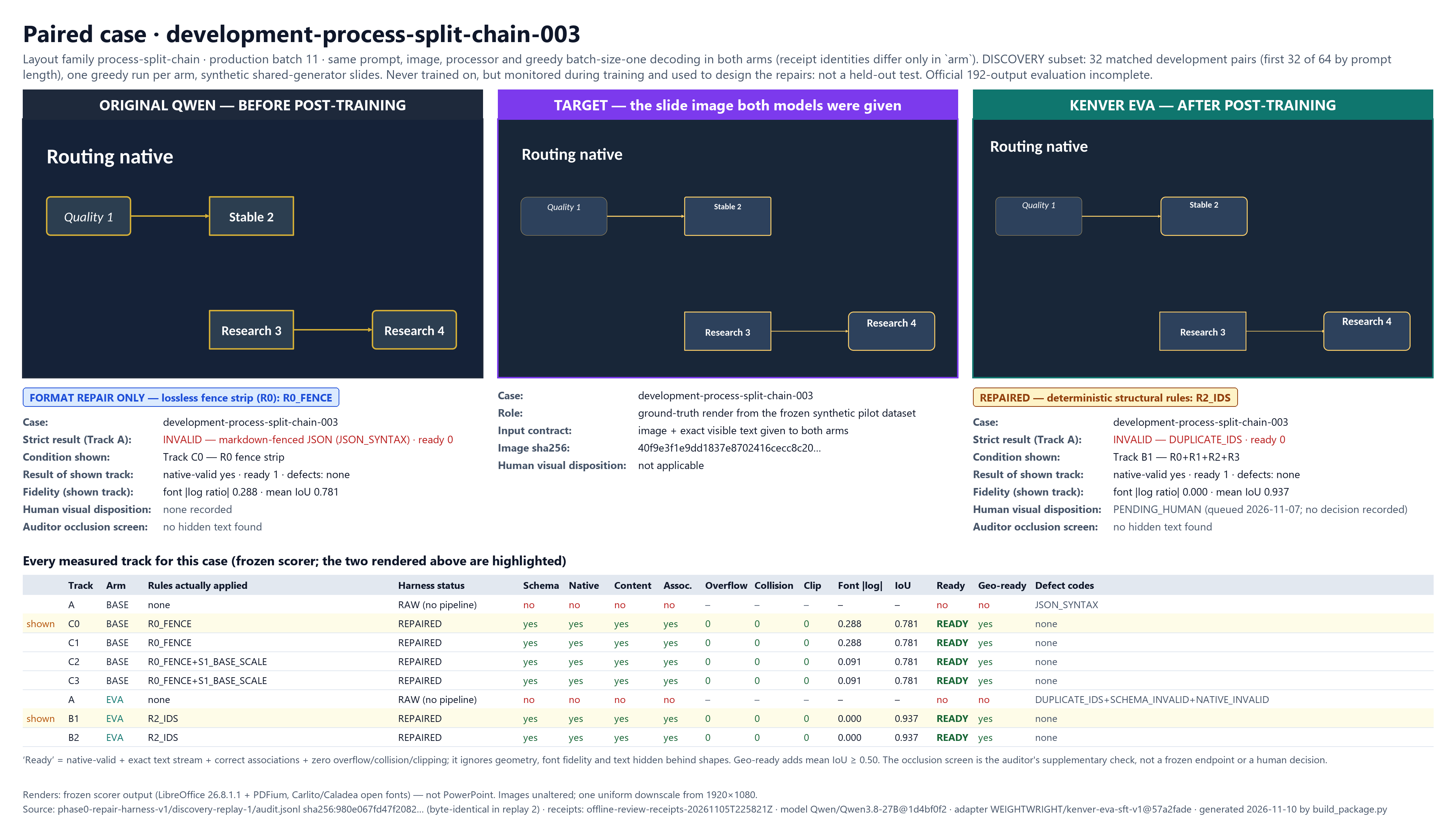
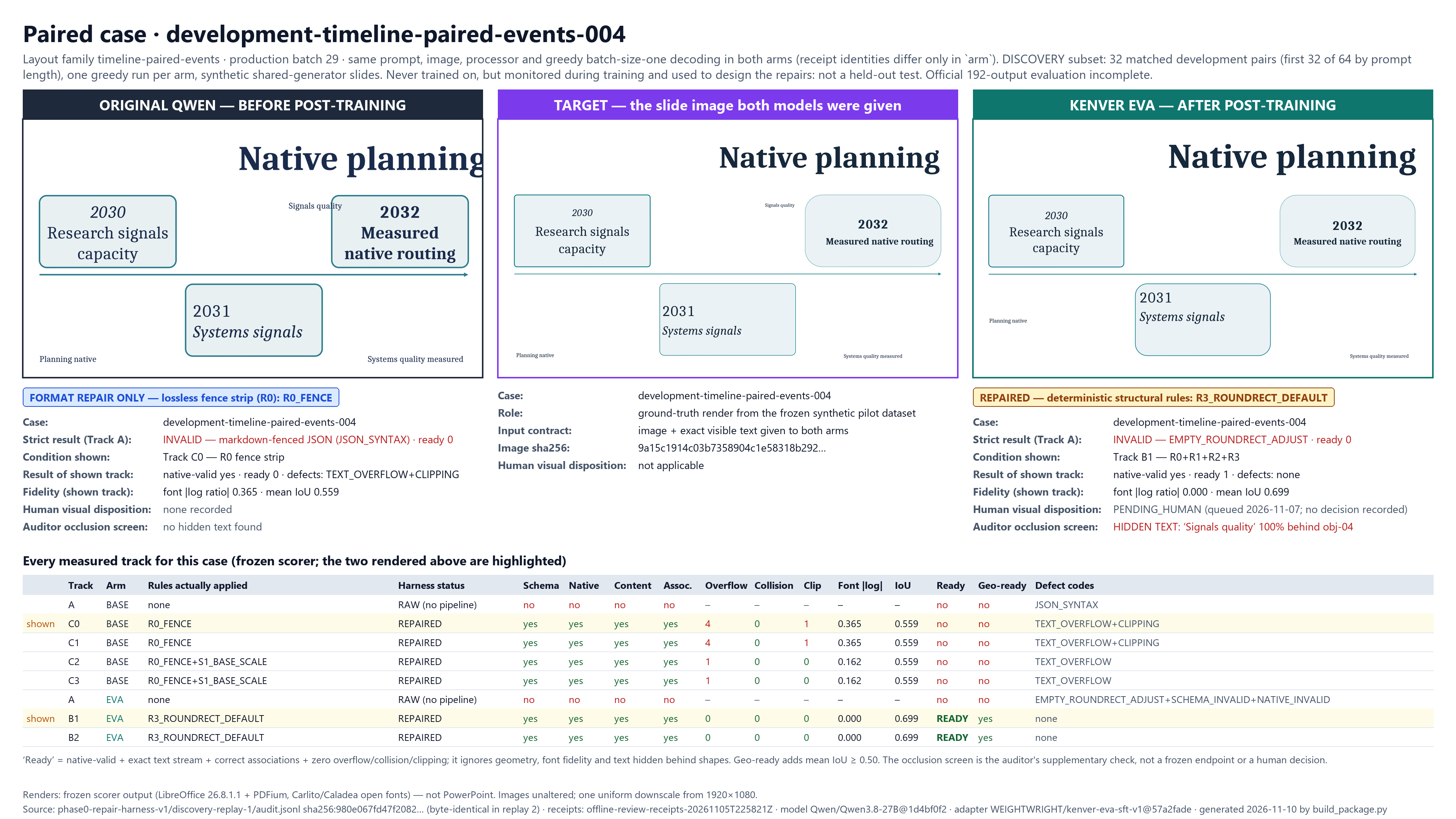
Results vary by layout family. Kenver's raw output was ready for 2 of 2 architecture slides, 0 of 2 dashboards, 7 of 8 editorial layouts, 7 of 8 KPI layouts, 3 of 8 process diagrams and 0 of 4 timelines.
The automatic checks cover scene validity, native PowerPoint round-trip, text and associations, overflow, collisions and clipping. They cannot replace visual review. No formal human visual review of the evaluated slides is recorded.
Real outputs
The writer converts a valid scene into native PowerPoint objects. Text boxes, shapes and connectors can be selected and edited individually. Connectors are drawn as independent lines, so they do not follow a box when it is moved. A scene must pass strict validation before the writer can use it, and even a valid scene can put elements in the wrong place or obscure text.
Each example shows the reference image Kenver was given and a render of the PowerPoint file written from Kenver's scene. All three are synthetic development slides with placeholder text, not held-out results. Renders use LibreOffice with the open Carlito and Caladea fonts in place of Calibri and Cambria, so PowerPoint's own rendering can differ.
Architecture fan-out
This run tested text replacement: Kenver received the reference image with replacement text, such as “Delivery Delivery” for “Progress research” and “Clients 5” for “Routing 1”, so the labels differ from the original by design. The raw output failed strict validation. Two logged repairs made it valid: one box height changed from 230 to 210, which fixed the connector endpoints, and a duplicate object ID changed from obj-04 to obj-10. The render and download are the repaired file.
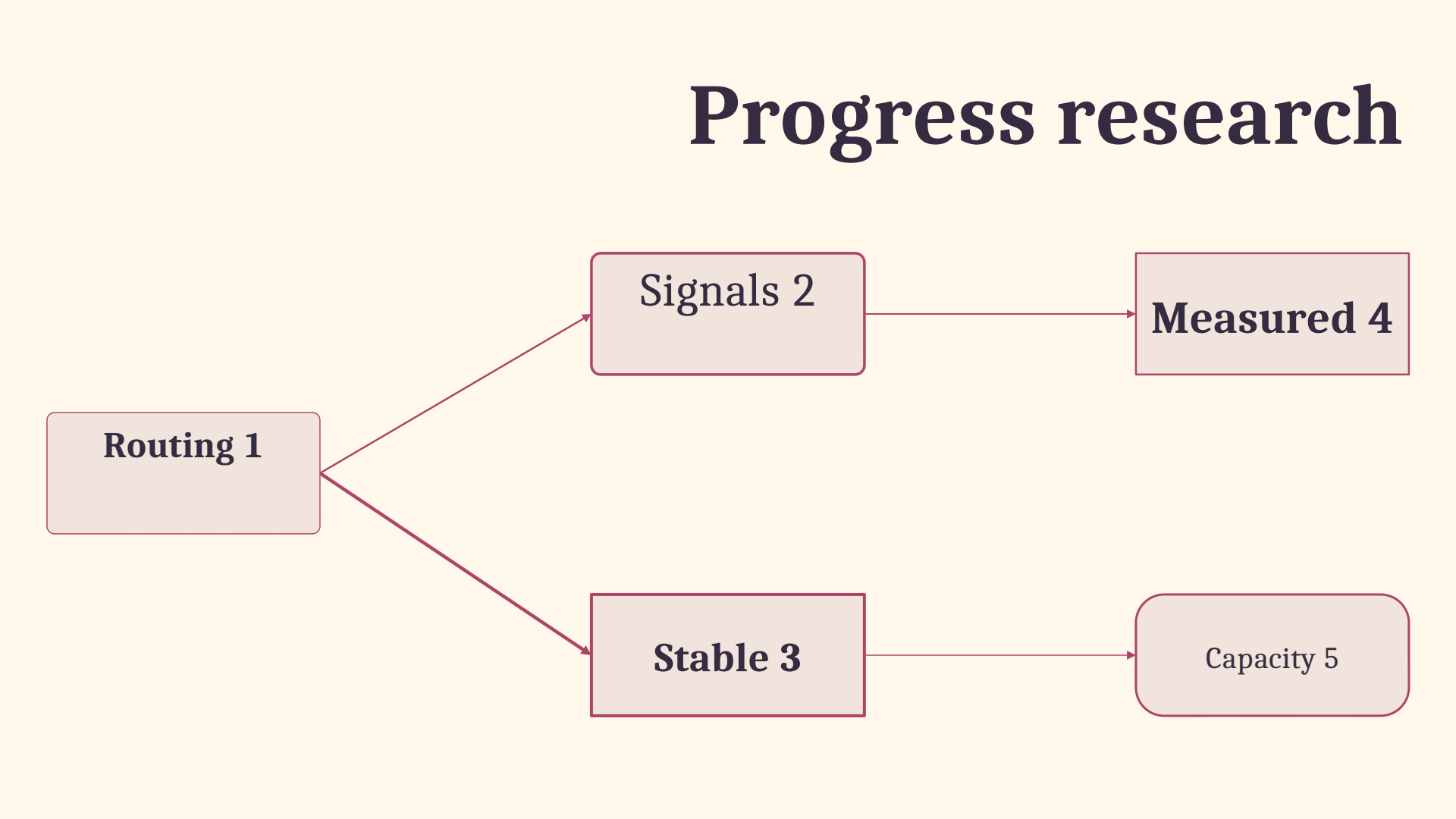
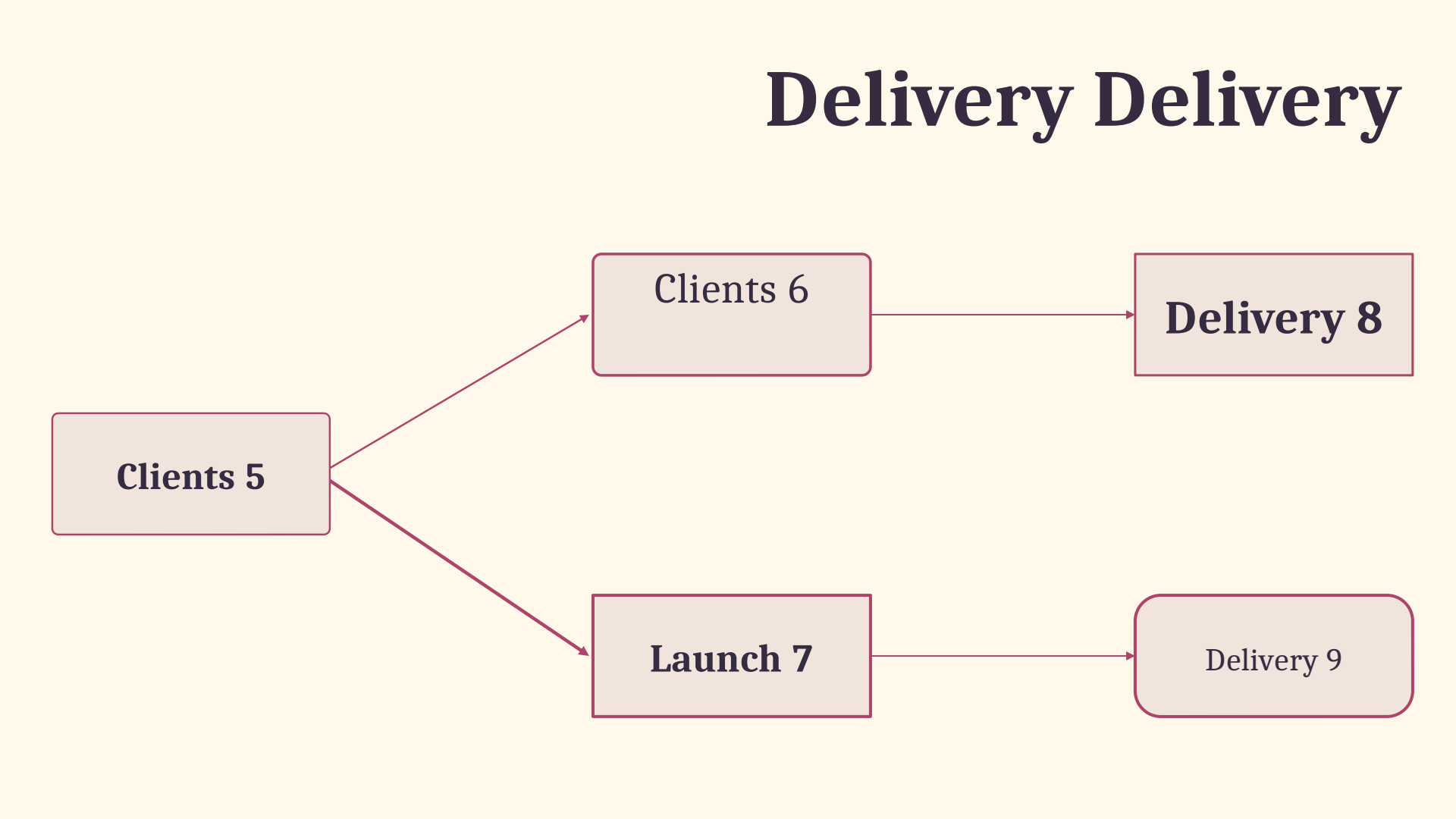
Editability evidence: Confirmed editable in Microsoft PowerPoint for this exact file on November 13, 2026.
KPI pair
Raw output, valid with no repair.
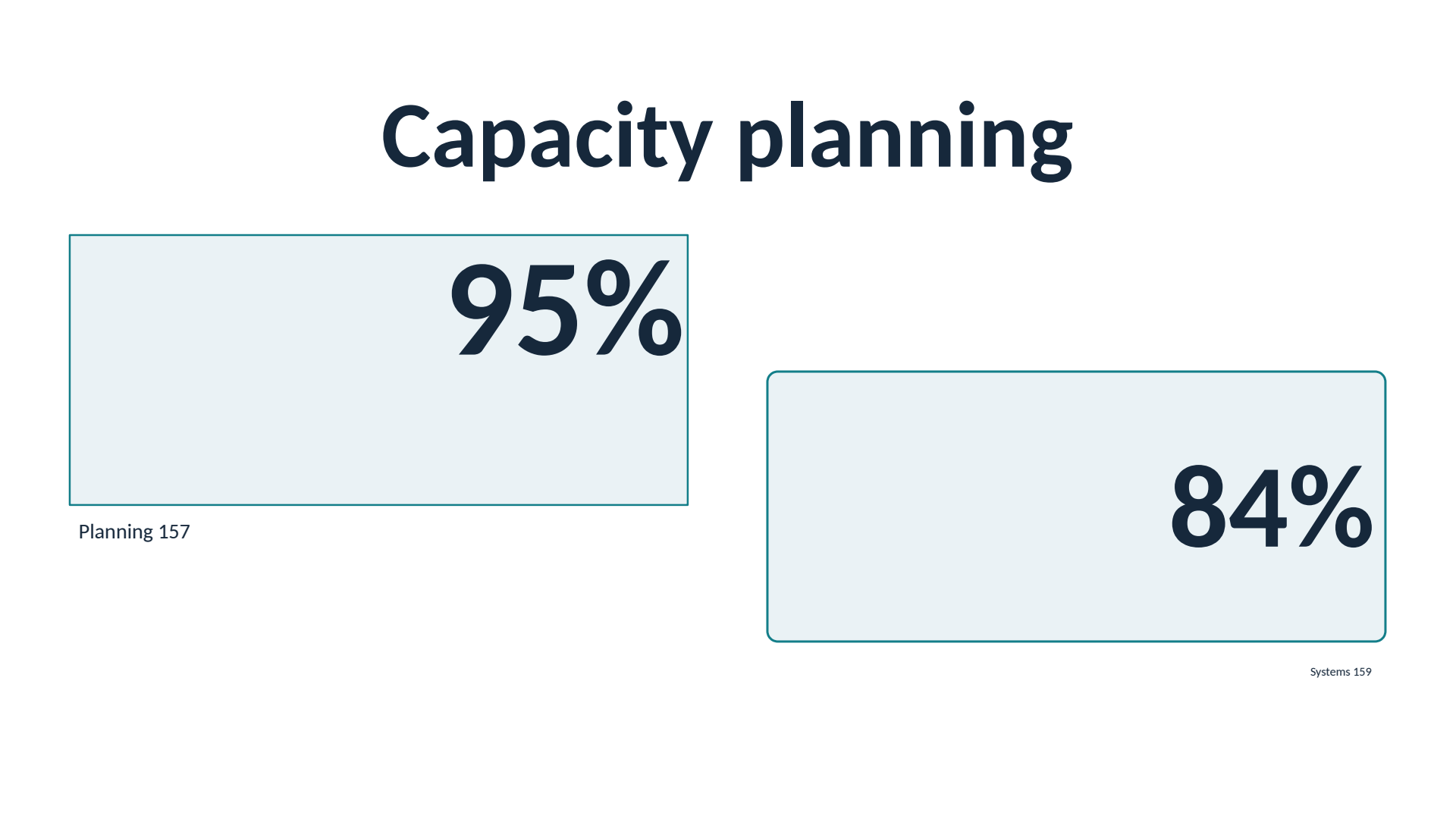
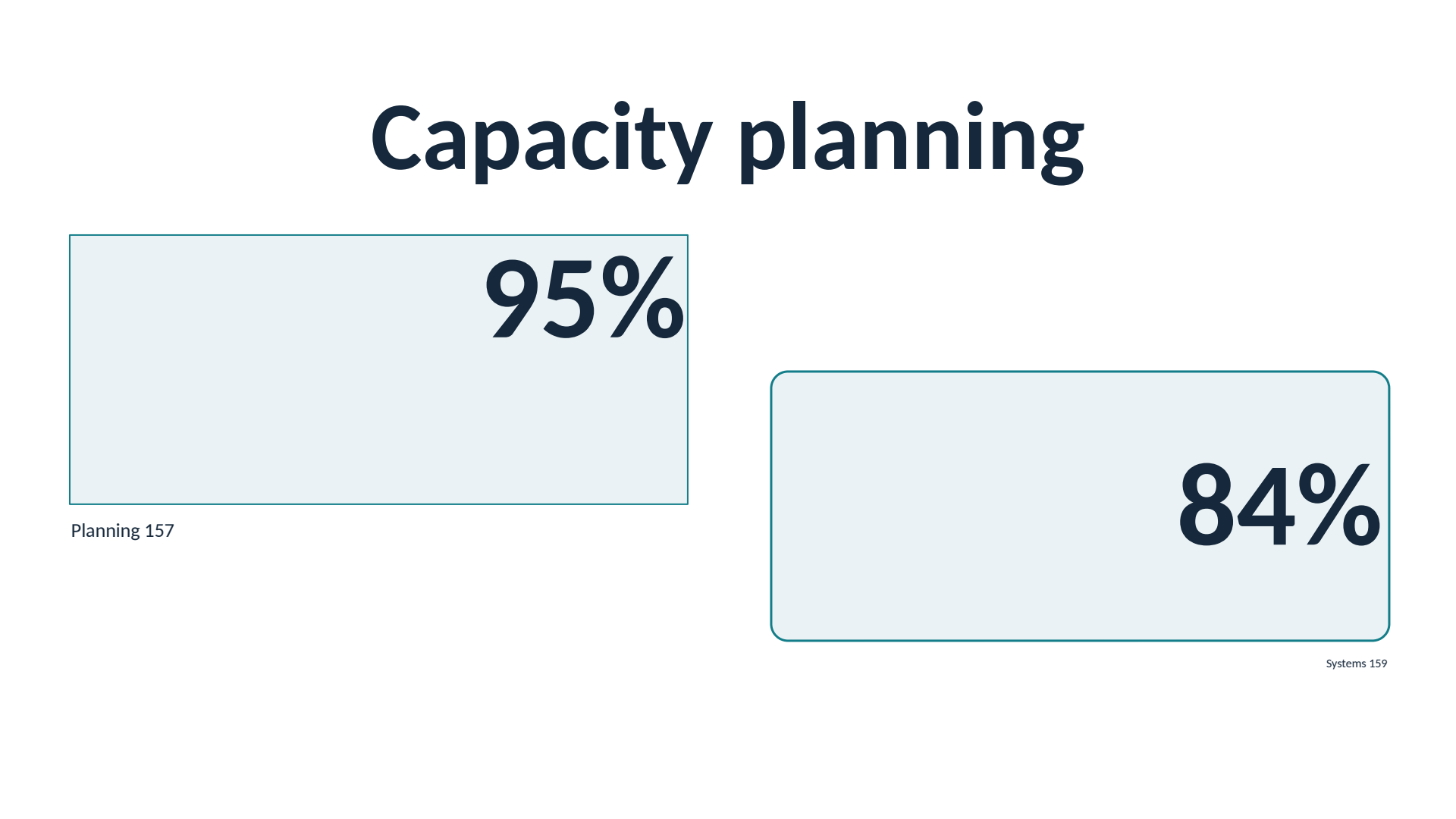
Editability evidence: Native PowerPoint objects and a pinned-renderer preview are verified. No human PowerPoint check is recorded.
Process chain
Raw output, valid with no repair.
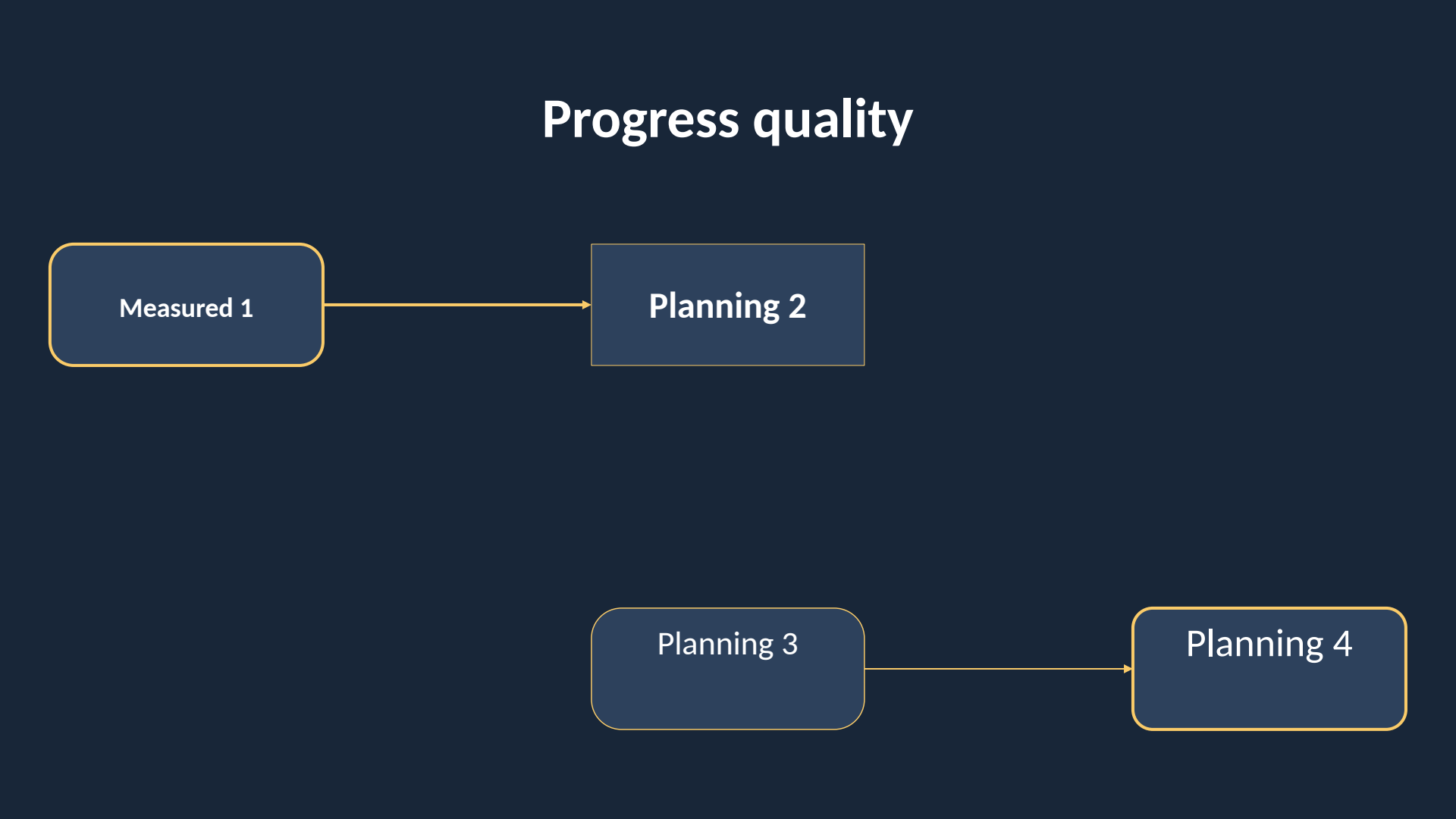
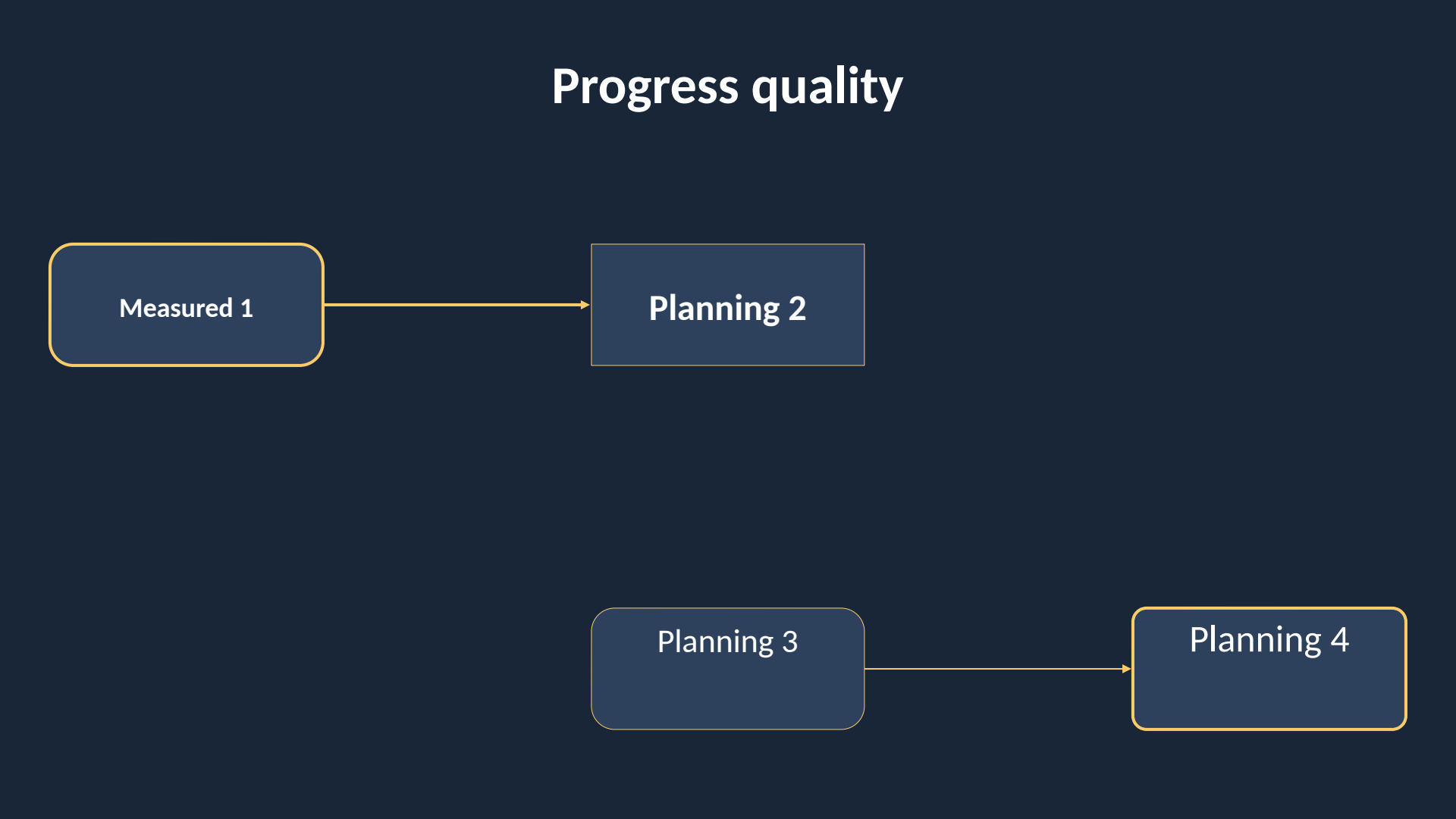
Editability evidence: Native PowerPoint objects and a pinned-renderer preview are verified. No human PowerPoint check is recorded.
Where it fails
Asked to design slides from written briefs alone, with no image, a task it was not trained for, Kenver produced valid output on 0 of 5 briefs. The base model produced 5 of 5.
Limitations
- The planned held-out evaluation has yet to run. 96 of the 192 planned evaluation outputs exist, and the 32 frozen evaluation slides have not been scored.
- All data comes from one synthetic generator. Real-world image-to-slide reconstruction has not been established.
- Previews use LibreOffice with substitute open fonts. PowerPoint will render Calibri and Cambria.
- Kenver's output changed with batch size, so the development comparison used batch size 1. Its findings do not establish performance at other batch sizes.
- The slide's text must be supplied. Reading text from the image alone was not tested.
- Kenver reconstructs a single slide. It does not create presentations.
Looking ahead
Hosted access to Kenver is currently limited to a small group of early testers. We're using their feedback to understand where the model succeeds, where it falls short, and how we can improve it.
If you're interested in participating in the hosted research preview, contact us at hello@weightwright.com.
For research collaboration, technical discussion or general inquiries, contact WEIGHTWRIGHT.
Resources
- Kenver on Hugging Face
Research-preview adapter and model card.
- Base model: Qwen3.8-27B
Pinned base model revision.
Download the three PowerPoint samples.
For the wider program, see WEIGHTWRIGHT Research, which publishes our model research and evaluations.